LinkedIn Video for Small Business: What to Post and What to Pay

Paul Skelcher
You open LinkedIn between meetings.
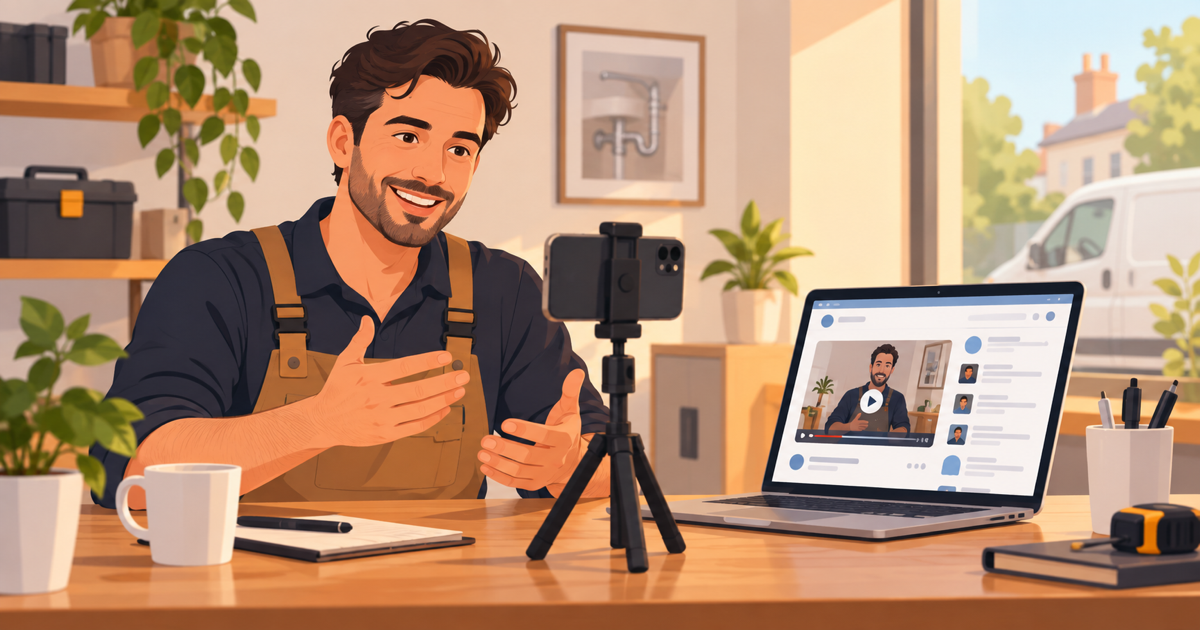
A lawyer you know is talking into her phone: 40 seconds, captions on.
Her comments are full of people you would love as clients.
Should you be doing that too?
Here is my honest answer.
LinkedIn video for small business works best when you sell to other businesses or to professionals. Post one short video a week, 30 to 60 seconds, with captions, answering one real client question from your own profile. A phone costs nothing but your time; a done-for-you 30-second explainer starts at $297.
But it is not for every business.
For some, it is the cheapest way to look like the expert people already hope you are.
For others, it is an hour a week spent talking to the wrong room.
So here is how to tell which one you are, and what to do next.
Is LinkedIn video for small business worth it, or should you skip it?
LinkedIn video is worth it when the people who pay you use LinkedIn for work.
That means lawyers, accountants, consultants, commercial contractors, and realtors who work with companies or people moving for a job.
It is mostly the wrong room if you sell to households.
A pizza shop will not fill tables from LinkedIn.
A family dentist will not fill chairs from it either.
Here is the honest test.
Picture your last five paying clients.
How many of them check LinkedIn at work?
If the answer is three or more, keep reading.
If it is zero, spend that hour on Google or Facebook instead.
Our guide to choosing which social platform to start with can help you pick.
There is one exception worth knowing.
Even a dentist or a plumber can use LinkedIn to hire staff and to win referrals from other professionals.
That is a smaller job, but a real one.
And the audience is paying attention.
According to LinkedIn's own marketing blog in 2025, video viewing on LinkedIn rose 36% in a single year.
More people are watching.
That is your opening.
Need an explainer video? Get a 30-second explainer for $297 → We write the script, record the voiceover and animate it, delivered in 7 days.
What kinds of video can a small business post on LinkedIn?
A small business can post five kinds of video on LinkedIn: a phone video, an animated explainer, a document post, a LinkedIn Live, or a paid ad.
Each one costs a different mix of money and nerve.
First, three quick terms.
A talking-head video is you, facing the camera, making one point.
A document post is a PDF or slide deck that people swipe through in the feed (often called a carousel).
It is not video, but it competes with video in the feed, so it is in the table.
LinkedIn Live is a live broadcast from your profile or company page.
Here is how the five stack up.
| Format | What it is | Money | Your effort | Best for |
|---|---|---|---|---|
| Phone talking-head | You, a phone, one point in under a minute | $0 if you own a phone | High: you script, film and edit | Trust, opinions, answering client questions |
| Animated explainer | A short cartoon-style video with a voiceover | A few hundred dollars done for you; $5,000+ from a custom studio | Low: you answer questions and approve | Showing how your service works, start to finish |
| Document post | A PDF or slide deck people swipe through | $0 | Medium: you write and design the slides | Checklists, step-by-step guides |
| LinkedIn Live | A live broadcast with comments | $0 | High: you host in real time | Q&A sessions, events, panels |
| Video ad | Any of the above, paid to reach new people | $10 a day minimum | Medium: you set up targeting | Reaching buyers who do not follow you |
Two notes on that table.
LinkedIn Live is not open to everyone.
LinkedIn Help's Live access rules say you need more than 150 followers or connections, and an account at least 30 days old.
Document posts have limits too.
LinkedIn Help's document page caps them at 100MB and 300 pages.
You will not come close.
Five slides is plenty.
How long should a LinkedIn video be?
Most LinkedIn videos should run 30 to 60 seconds.
Ads can be shorter, 15 to 30 seconds.
That is the sweet spot, not the limit.
The limit is much longer.
LinkedIn Help's video page allows up to 15 minutes on a personal post.
Company pages get less.
LinkedIn Help's Page video specs cap Page videos at 10 minutes.
So why stay short?
Because people say they want short.
In Wyzowl's 2026 survey, as reported by HubSpot, 51% of people said 30 to 60 seconds is the best video length.
And even short videos lose people halfway.
Wistia's study of videos on its own platform found that videos under a minute average a 52% engagement rate.
In plain words, viewers watch about half.
So put your one point in the first half.
For ads, LinkedIn is even tighter.
The same LinkedIn marketing blog says LinkedIn recommends 15 to 30 seconds for awareness ads.
Awareness ads are ads meant to get your name in front of new people, not to make a sale on the spot.
Here are the settings that matter, checked against LinkedIn's help pages in September 2026.
| Setting | LinkedIn's limit | What I would use |
|---|---|---|
| Length (personal post) | 3 seconds to 15 minutes | 30 to 60 seconds |
| Length (company page) | 3 seconds to 10 minutes | 30 to 60 seconds |
| Length (ad) | 3 seconds to 30 minutes, by objective | 15 to 30 seconds |
| Shape | Anything from 1:2.4 tall to 2.4:1 wide | Vertical (9:16 or 4:5) for talking-head clips; square (1:1) if you post it elsewhere too |
| File size | Up to 5 GB | Nothing to worry about for a one-minute clip |
| Captions | Attach an SRT file when you upload | Always |
The ad lengths come from LinkedIn's video ads page.
Why vertical?
LinkedIn's marketing blog in 2025 passed on a finding that vertical 9:16 videos showed a 24% lift in click-through rates.
In my view, even a square video fills more of a phone screen than a wide one.
And the phone app now leans vertical.
Social Media Today reported in February 2025 that LinkedIn's app shows videos in a full-screen feed you swipe through, TikTok-style.
Viewers can tap a video and keep swiping to more, on a phone or a desktop.
A tall clip fills that screen; a wide one leaves black bars.
Which first LinkedIn video fits your trade?
Your first LinkedIn video should answer the question your clients ask before they hire you.
Not your history.
Not your awards.
The question.
Here is where I would start for six common trades.
| Business | Who is watching on LinkedIn | Your first video |
|---|---|---|
| Lawyer | Business owners, HR managers, other lawyers who refer | "What happens in a first meeting with me, and what it costs to find out" |
| Accountant | Owners of small companies, finance managers | "The three papers new clients always forget to send" |
| Consultant | Managers with a problem and a budget | "The first thing I check when a team misses its numbers" |
| Dentist | Other dentists, staff you want to hire, local employers | "What a day on our team looks like" (for hiring) |
| Commercial contractor | Property managers, facility managers, builders | "How we keep a building open while we work on it" |
| Realtor | People moving for a new job, HR teams handling moves | "Your first week in town: what to see before you pick a street" |
Are you a consultant or adviser?
Our longer guide to LinkedIn video marketing for consultants shows how to warm up prospects before sales calls.
See the pattern in the table?
Each video speaks to one kind of viewer.
Each one answers a worry that viewer already has.
And not one of them starts with "Hi, I'm..."
What should you post on LinkedIn this month?
Post one video a week for four weeks, and make each one do a different job.
That is enough to learn what your crowd responds to.
It is also small enough that you will actually finish.
Here is the plan.
Step 1: Answer the question you hear most (week 1)
Film a 30 to 60 second phone video that answers the one question clients ask every single time.
Say the answer in the first sentence, then give one example.
Our guide on making phone videos look professional covers the light, sound and framing.
Step 2: Show how working with you goes (week 2)
Post a short video that walks through your process, from first call to finished job.
An animated explainer works well here, because it can show steps a camera cannot film.
Pin it to the Featured section of your profile, so it greets every new visitor.
Step 3: Turn your answer into a document post (week 3)
Take your Week 1 answer and turn it into a five-slide PDF checklist.
Post it as a document post, and mention the video in your text.
Some people swipe and some people watch.
Now you have both.
Step 4: Reply on video to your best comment (week 4)
Pick the best question someone left under your posts this month.
Answer it in a new 30-second video, and tag the person if they are happy to be named.
End with one clear next step, like "Message me the word CHECKLIST and I'll send it."
Then repeat the four steps next month with a new question.
How much does LinkedIn video cost a small business?
LinkedIn video costs anywhere from $0 on your own phone to $15,000 or more for custom studio work.
Paid reach starts at $10 a day.
The real cost for most owners is not money.
It is time.
Vidico's 2026 video statistics roundup reports that 33% of marketers name lack of time as their top video barrier.
Only 20% said it was too expensive.
Here is how the options compare.
| Option | Money | Your time | Good when |
|---|---|---|---|
| DIY phone video | $0 | The most: script, film, edit, redo | You are comfortable on camera and have an hour a week |
| Our 30-second animated explainer | $297 one-time (normally $497) | A short questionnaire, then up to 3 revision rounds | You want your process explained clearly, once, and reused |
| Custom video from our team | From $1,299 | One planning call plus reviews | You want a custom style, more scenes or a longer piece |
| Custom 60-second studio animation | $5,000 to $15,000, by complexity and style (Vidico) | Several meetings | A bigger company with a brand team |
| LinkedIn video ads | $10 a day minimum; LinkedIn suggests $25 a day to start (LinkedIn) | Setup, then weekly checks | You already know which post works and want more of the right people to see it |
Two notes on those rows.
Our explainer comes with the script, a human voiceover and the animation, delivered in 7 days, with a money-back guarantee.
Custom work is planned on a free 30-minute call, with a fixed quote in 24 hours.
And on ads: if you set one total budget instead of a daily one, LinkedIn's minimum is $100.
Plenty of companies keep video spend modest.
Wistia's 2026 State of Video report found almost 40% of companies spent under $5,000 producing videos in 2025.
You can start far below that.
Want something bigger? Book a free 30-minute video call → We plan your custom video with you and send a fixed quote within 24 hours.
A made-up month: what LinkedIn video looks like for an accountant
LinkedIn video for small business is easier to picture with one firm, so let me walk a made-up accountant through the plan.
Picture an accountant called Priya.
She is made up.
The plan she follows is real.
Priya runs a three-person firm and has about 400 connections, mostly past clients and local business owners.
In Week 1, she films a 45-second phone video: "The three papers new clients always forget."
She stands by a window, reads nothing, and posts it with captions.
In Week 2, she posts a 30-second animated explainer of how her monthly bookkeeping works.
She pins it to her Featured section.
In Week 3, she turns her Week 1 video into a five-slide checklist and posts it as a document.
In Week 4, a café owner asks in the comments whether receipts on a phone count.
Priya answers on video, in 30 seconds.
So what happened?
I cannot tell you, because Priya does not exist.
But here is what she should watch for.
Not views.
Comments from people who could hire her.
Messages that start with "I saw your video."
New connection requests from owners in her town.
Those are the signs the room is right.
If none show up after two months, the room may be wrong, and that is useful to know too.
How do you get people on LinkedIn to watch past the first line?
People on LinkedIn keep watching when a video works with the sound off and names their problem fast.
Most of the rest is small fixes.
Add captions, every time
LinkedIn's video ads page says captions are strongly recommended, because videos autoplay without sound.
LinkedIn's marketing blog also cites research that 92% of people watching videos on mobile devices do so without sound.
So in my view, normal posts need captions just as much as ads.
On LinkedIn, you attach captions as an SRT file.
An SRT file is a plain text file of your words with timings.
LinkedIn Help's caption page shows you attach it while you upload.
Most editing apps can make one for you.
Or burn the captions into the video itself, so they always show.
Upload the video file, do not paste a link
Upload the video straight to LinkedIn instead of pasting a YouTube link.
An uploaded video plays right in the feed.
A link asks people to leave, and most will not.
Write the post text like a headline
The two lines above your video do the selling.
Say what the video answers: "Why your refund was smaller than last time (40 seconds)."
Then stop.
Make it look cared for
In my view, polish matters more on LinkedIn than on most apps.
Vidico's 2026 video statistics roundup reports that 87% of consumers say video quality affects how much they trust a brand.
That does not mean a studio.
It means clean sound, steady framing and good light.
What LinkedIn video will not do for you
LinkedIn video will not replace referrals, fix a weak website, or work if you post twice and stop.
I want to be straight with you on all three.
The feed forgets fast.
And video ads are not a shortcut on a tiny budget.
At $10 a day, you are buying a test, not a flood of clients.
So when should you skip it?
When your buyers are households, not businesses.
When you cannot commit to one video a week for two months.
Or when your phone and your calendar are already full.
That last one is a good problem.
Enjoy it.
Frequently asked questions
Should I post LinkedIn videos from my personal profile or my company page?
Post LinkedIn videos from your personal profile first.
In my view, people follow people more than logos.
Your own profile also tends to have more connections than a new company page.
Share the best videos to your company page afterwards, remembering that page videos are capped at 10 minutes.
Do I have to show my face in LinkedIn videos?
You do not have to show your face in LinkedIn videos.
An animated explainer, a screen recording or a document post all work without you on camera.
A face does build trust faster.
That is why many owners mix both: animation for the process, and a short phone clip to show who they are.
How often should a small business post video on LinkedIn?
Once a week is a sensible pace for a small business on LinkedIn.
It is steady enough for people to remember you.
It is light enough to keep going for months, which matters more than any single post.
Are LinkedIn video ads worth it for a small business?
LinkedIn video ads are worth testing only after a normal post has already done well.
The minimum is $10 a day, and LinkedIn suggests $25 a day for new advertisers.
Put money behind a proven video, aimed at a job title or industry that buys from you.
Does LinkedIn video work for a local business that sells to homeowners?
In my view, LinkedIn video rarely brings in homeowners, because people seldom shop for a plumber or a dentist on LinkedIn.
A local business can still use it to hire staff and to win referrals from other professionals.
For homeowner leads, I would put the same video on Google and Facebook first.
What is LinkedIn's video feed?
LinkedIn's video feed is a full-screen view in the app where you swipe from one video to the next, much like TikTok.
Tap any video in your normal feed and it opens there.
That is why a tall, captioned clip tends to suit it best, in my view.
The short version
LinkedIn is a room full of people at work.
If those people hire you, video is one of the cheapest ways to stand out in that room.
If they do not, skip it without guilt.
Keep each video to 30 to 60 seconds.
Add captions, because LinkedIn videos autoplay without sound.
Post from your own profile.
Answer one real client question per video.
Mix formats: a phone video for trust, an animated explainer for your process, and a document post for the checklist.
Follow the four-week plan, then repeat it.
Watch for comments and messages from people who could hire you, not views.
Spend on ads only after a post has proven itself.
Here is one question to ask yourself tonight.
If a client found you on LinkedIn tomorrow, what would they see?
If the answer is "a job title and not much else," that is the gap LinkedIn video for small business can fill.
Ready to get your own video made? Order a 30-second explainer for $297 and have it in 7 days, or book a free call if you want a custom video from $1,299.
Related Reading
- How to Get More Views on YouTube: A Small Business Playbook: How to get more views on YouTube as a small business: what counts as a view…
- AI, VR and AR in Video Marketing: What's Worth Buying: AI, VR and AR in video marketing without the hype: what each one costs in…
- Explainer Video Guide: The 7 Decisions, in Order: An explainer video guide without the ebook. Make seven decisions in order,…
- Explainer Video Case Studies: How to Read One Without Getting Fooled: Most explainer video case studies are old, unsourced or selling you a video.…
- Explainer Videos from $297 →: Professional animated explainer videos delivered in 7 days.
Need an explainer video?
We write the script, record the voiceover and animate it. Delivered in 7 days.
Get My Video — $297 →