Explainer Video Case Studies: How to Read One Without Getting Fooled
You are about to spend real money on a video.
So you look for proof first.
A studio's page says "this one video lifted conversions by 86%."
Then you picture your own website.
A plumbing company, maybe, or a two-chair dental office.
Would that number ever happen for you?
Good question.
Here is the part nobody tells you.
Most explainer video case studies online are old, unsourced, or written by the company selling the video.
Explainer video case studies are only useful if you can check them. Look for a source link, a date and a real, named business. Then borrow the script shape that worked, not the flashy percentage, because the shape transfers to your business and the number usually does not.
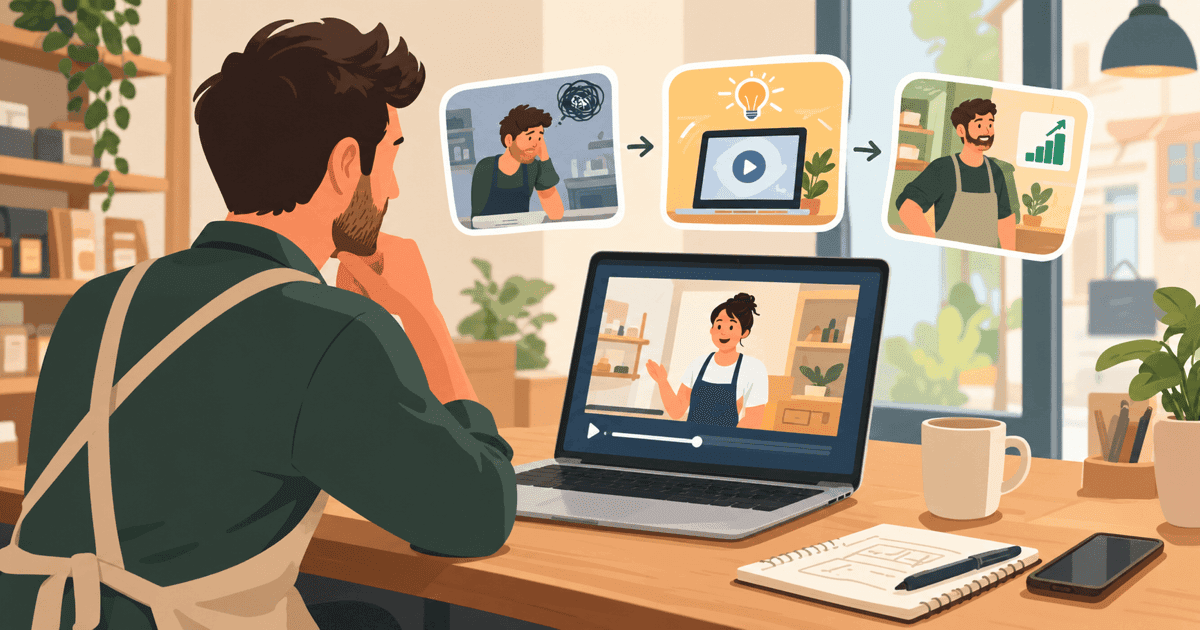
What are explainer video case studies, and why do they matter?
An explainer video case study is a story about a business that made a short video.
Then something changed afterward.
More leads, more sign-ups, or more sales.
Some of these stories are real.
Some are only claimed.
Owners read them before they spend money, and that instinct is smart.
Nobody wants to pay for a script and animation that does nothing.
The trouble is what shows up in a search.
Most of it is written to sell you something, not to inform you.
So I am not going to hand you a pile of shiny case studies.
That would be the exact thing I am warning you about.
Instead, I will show you how to read one.
What to trust, what to ignore, and the questions to ask a studio.
Then a script shape that works in any trade, real prices, and a clear next step.
Need an explainer video? Get a 30-second explainer for $297 → We write the script, record the voiceover and animate it, delivered in 7 days.
Can you trust the numbers behind video case studies?
Some case-study numbers are worth trusting.
Many of the most repeated ones are not.
Take the famous claim that video on a landing page lifts conversions by 80-86%.
It comes from data gathered before 2020.
It does not reflect how people watch video today.
Newer testing shows a much wider range, and a less flattering one.
Anywhere from a 10% drop to a 100% lift.
It depends on the industry, the page and the video itself (Foundry CRO, Landing Page Video Benchmarks 2026).
A drop.
That is the word most case studies leave out.
This is not a reason to give up on video.
It is a reason to stop treating one percentage as if it fits every business.
Here is a broader number I find more useful.
82% of video marketers report a positive return on video (Levitate Media, Video Conversion Statistics 2026).
The same source says explainers are the most common type made.
73% of marketers have produced one.
That is not a promise of any lift.
It does say most businesses that try video are glad they did.
Before you believe any case study number, run three quick checks:
- Is there a link to the original data, or just a claim?
- Is there a date, and is it recent?
- Is a real, named company involved, or is it "a client of ours"?
If a stat fails all three, treat it as marketing copy.
Not evidence.
What can small businesses learn from the Dropbox explainer video story?
This is the most famous explainer story of all.
It is also the best one to practice reading carefully.
Dropbox is a file-storage company.
In its early days it used a short, plain explainer video.
That video is often credited with 70,000 early signups shortly after launch (Yans Media, Dropbox's MVP Explainer Video Case Study).
Now the honest label.
That number is widely repeated, but it does not trace back to an independent, verified source.
So treat it as a popular story.
Not a proven fact.
Does that make the story useless?
No.
The lesson was never the signup number.
It was the shape of the video.
One problem, one solution.
No fancy effects, no big cast, no complicated plot.
It was clear, not expensive.
That is good news if you run a small business.
You do not need a big-city budget or a film crew to copy that shape.
A plumber, a dentist or a gym owner can use the same "one problem, one solution" script.
And it costs far less than a full studio production.
What does a real, measured result look like?
Here is one of the few results backed by an actual measured test.
Unbounce makes a landing-page tool.
Vidyard is a video hosting platform.
In a joint test, they placed an explainer video in a lightbox on a landing page.
A lightbox is a pop-up video window that opens over the page.
Conversion went from 6.5% to 13% (TapVid, Explainer Video Conversion Rate Benchmarks 2026).
That is roughly double.
It was measured, not guessed.
But look at who ran it.
Two companies whose tools help put videos on pages.
That does not make it false.
It just means you read it as one good test, not a law of nature.
Your own results will depend on your industry, your traffic and your offer.
So do not expect an automatic doubling.
What matters more is the pattern behind it.
A short, clear video near your call to action tends to help people decide.
Why?
It answers the questions a page of text leaves hanging.
Our guide to whether explainer videos increase conversions goes deeper on the data.
What should you ask a studio about its case study?
Every studio shows off its best story.
That is normal.
Your job is to test the story before you trust it.
Here are the questions I would ask any studio, in plain words:
- Can I watch the actual video?
- Is the business named, and can I visit its website?
- What exactly was measured: calls, leads, sign-ups or sales?
- Measured against what, and over what dates?
- Did anything else change at the same time, like new ads or a new website?
- How big is that business compared with mine?
A good studio answers these without squirming.
A vague answer is an answer too.
Then run the story through four steps.
Step 1: Find the source
If there is no link to the original data, treat that number as marketing, not fact.
A real study has a name, a date, and usually a link.
Step 2: Check the date
A stat from 2015 does not describe how people watch video today.
Phones, social feeds and attention spans have all changed.
If a claim has no year, be suspicious of it.
Step 3: Compare business size
A story about a $10 million SaaS company does not predict results for a five-person plumbing shop.
Budgets, customers and sales cycles are all different.
So the number simply does not transfer.
Step 4: Look for the script, not just the number
The structure transfers: hook, problem, solution, action.
It works no matter the industry or the size of the company in the story.
Copy that.
Ignore the percentage.
What makes an explainer video script actually work?
A working script has four parts: hook, problem, solution and call to action (Biteable, Explainer Video Script Template).
The hook grabs attention in the first few seconds.
The problem names what is bothering your customer.
The solution shows how you fix it.
The call to action tells them exactly what to do next.
A more detailed version adds a fifth part: proof.
A common time split is problem 30%, solution 40%, proof 20%, action 10% (Content Beta, How to Write a 60-Second Video Script).
Proof is where you show why someone should believe you.
A guarantee, a number, or a simple demonstration.
But only one that is true.
How long should the script be?
Spoken narration runs roughly 150 words per minute (Breadnbeyond, How Many Words for a 60-Second Script).
So a full 60-second video holds about 150 words.
Here is a sample for a chiropractor.
The clinic is made up, so the brackets are yours to fill.
Hook (first seconds): "Still living with back pain you've just learned to ignore?"
Problem (30%): "Most people wait months before seeing a chiropractor. They stretch, they pop pills, they hope it goes away. It doesn't. It just gets harder to sit, sleep, or play with your kids."
Solution (40%): "At [Clinic Name], we start with a real exam, not a guess. You get a plan built for your spine, your job, and your schedule. [Add one true thing new patients can expect, taken from your own records.]"
Proof (20%): "We've worked with [the kinds of patients you really see] across [town]. No long-term contracts, no pressure."
Action (10%): "Book your first visit today. Your back has waited long enough."
Notice the brackets.
They are there on purpose.
It is tempting to write a line like "you'll feel better in no time."
Do not do it unless you can prove it.
A promise you cannot keep is the fastest way to lose a patient's trust.
The sample also runs a bit under 150 words.
That leaves room for your own true details, with no padding needed.
Small business budget vs big studio: what a real case study costs
A 60-second custom animated explainer from a North American studio typically costs $5,000 to $10,000.
Premium 3D or custom character work runs above $10,000 (Vidico, How Much Does an Explainer Video Cost in 2026).
That price makes sense for a big brand campaign.
It does not make sense for most local businesses.
Especially if you are running one video on your homepage or in a single ad.
Here is how the main options compare:
| Option | Typical 60-sec price | Turnaround | Best for |
|---|---|---|---|
| North American studio | $5,000-$10,000+ | Several weeks | Big-budget brand campaigns |
| Freelancer / DIY tools | Varies widely | Unpredictable | Owners with time to manage the process |
| 30 Second Productions package | Fixed, low cost (see below) | 7 days | Most local businesses |
| Custom / premium build | Custom quote (see below) | Quote in 24 hrs after a free call | Businesses needing 3D or custom characters |
Here is what we charge.
$297 one-time for the 30-second explainer video.
$497 one-time for the 60-second version.
Each price includes a written script, a human voiceover and full animation.
It is delivered in 7 days, with 3 revision rounds and a money-back guarantee.
Need something more custom, like 3D animation or a built-out character?
Pricing starts at $1,299.
We plan it on a free 30-minute call and send a fixed quote back within 24 hours.
Want something bigger? Book a free 30-minute video call → We plan your custom video with you and send a fixed quote within 24 hours.
How a plumber, dentist and gym owner could use the same formula
The hook-problem-solution-action script works across trades.
Only the visual style needs to shift.
Whiteboard animation is drawings sketched on screen as the narrator talks.
It suits step-by-step teaching and professional services.
2D motion graphics is the all-round animated style most businesses use.
It gives a clear, professional explanation.
Live action is real people on camera.
It adds a trusted face to the message (Pexo, Types of Explainer Videos).
These three are made-up examples, not case studies.
Picture a plumber using whiteboard animation to explain "why your water bill jumped."
The narrator draws a simple pipe diagram.
Then lands on the fix and a call to book a leak check.
Picture a dentist using 2D motion graphics for a nervous patient's first visit.
A friendly character moves from checkup to cleaning to a clear treatment plan.
It ends with an easy way to book.
Picture a gym owner using live action.
The owner or a trainer talks straight to camera about the "3-week plateau" members hit.
Then shows the program that gets them past it, and closes with a free trial offer.
What a case study is, and what it is not
A case study is one business, at one time, with one offer.
It is not a forecast for yours.
A video will not fix a weak offer or a slow reply to leads.
It will not make a bad page good.
What it can do is explain you clearly, the same way, every time.
That is worth paying for.
A borrowed percentage is not.
Turn these lessons into your own case study this week
Three lessons matter most.
Trust honest, sourced numbers over flashy unsourced ones.
Use the hook-problem-solution-action shape, whatever your trade.
Pick a style that fits how your trade builds trust: whiteboard, 2D or live action.
Then make your own case study.
It is the only one that truly applies to you.
Write down your calls or leads for a few weeks before the video goes live.
Put the video near your call to action.
Then compare the weeks after, and note anything else you changed.
That is a real result, with a real date and a real business name.
Yours.
If you want us to make the video, you have two paths.
Our fixed-price explainer packages, or a custom option if you need something bigger.
Since 2013, this process has produced more than 16,000 videos for over 13,500 businesses.
Frequently asked questions
How long should my explainer video script be?
Plan on about 150 to 225 words, because most explainer videos run 60 to 90 seconds.
That word count is the voiceover (Knowlify, How to Make an Explainer Video).
For exactly 60 seconds, plan on about 140-160 words.
Spoken narration runs close to 150 words per minute.
Do I need a professional voiceover for my video to look credible?
A clear, professionally recorded human voiceover makes a real difference in trust.
It beats a synthetic or amateur-sounding recording.
Both explainer video packages from 30 Second Productions include a human voiceover in the price.
So it is not an extra decision you need to make.
What's the fastest way to get an explainer video made this week?
The fastest fixed path is our 30-second explainer video package.
It includes the script, a human voiceover and animation, delivered in 7 days.
For something custom, a free 30-minute call gets you a fixed quote within 24 hours.
Production then runs longer than the standard 7-day package.
Can I reuse a case-study-style script for social media ads?
Yes.
The hook-problem-solution-action shape works for a website explainer and a short social ad.
Both need to grab attention fast and make one clear point.
You may just need to trim the proof section to fit a shorter ad.
Is a whiteboard video or animated video better for a service business?
Whiteboard animation suits businesses that teach a step-by-step process.
Think of a dentist explaining a procedure, or a lawyer explaining a process.
2D motion graphics is a flexible all-round choice for most service businesses that need a clear, professional explanation (Pexo, Types of Explainer Videos).
The short version
Most explainer video case studies online are built to sell you something.
So check the source, the date and the business name before you trust any number.
Treat the Dropbox story as a good lesson with an unverified number.
Ask any studio what was measured, against what, and when.
What does transfer to your business is the script shape.
Hook, problem, solution, proof, call to action.
Real, measured tests do exist.
The Unbounce and Vidyard test moved conversion from 6.5% to 13%.
Your own results will vary.
Your goal this week is not to find the perfect case study.
It is to get an honest script written and a video made without overpaying.
Here is one question to ask yourself.
If a stranger landed on your website tonight, would they understand what you do?
If not, that is the gap a video fills.
Ready to get your own video made? Order a 30-second explainer for $297 and have it in 7 days, or book a free call if you want a custom video from $1,299.
Related Reading
- Explainer Video Examples for 9 Small-Business Types: Struggling to explain your business simply? These explainer video examples…
- Do Explainer Videos Increase Conversions? Real 2026 Data: Wondering if explainer videos increase conversions enough to justify the…
- Explainer Videos from $297 →: Professional animated explainer videos delivered in 7 days.
Want a custom video made for your business?
Book a free 30-minute call. We plan your video with you and send a fixed quote within 24 hours. Custom videos from $1,299.
Book a Free Video Call →