Explainer Video Examples for 9 Small-Business Types
A plumber's van breaks down on the way to a big job.
A dentist loses a patient because the website looks like it's from 2009.
A lawyer gets a call from someone who already found three competitors.
Every one of these businesses has the same problem.
People do not stick around to read a wall of text about what you do.
A short video fixes that.
This article gives you nine explainer video examples for nine common trades.
It also gives you a full sample script you can copy today.
In under a minute, you can show a worried customer you understand the problem and know how to fix it.
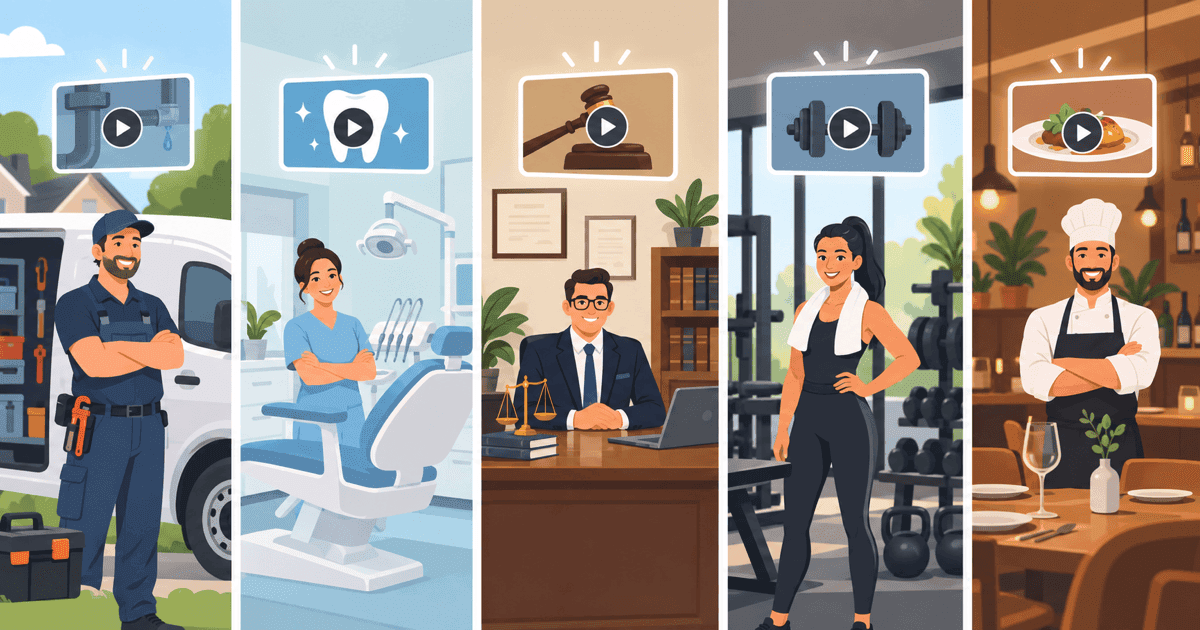
A good small business explainer video opens with the customer's worry, shows the fix in plain words, then closes with one action. Plumbers, dentists, lawyers and six other trades all follow this same four-part shape. Only the opening scene changes.
What makes a good explainer video for a small business?
A good explainer video starts with the customer's worry, not your logo or company history.
An explainer video is short, usually under 90 seconds.
It walks a viewer through a problem and a fix, in plain language.
Every strong script follows the same four beats: hook, problem, solution, call to action (Biteable).
The hook grabs attention in the first few seconds.
The problem names the worry your viewer already feels.
The solution shows how you fix it.
The call to action tells them exactly what to do next: call, book, or click.
Most of your script time should go to the problem and the solution, not to selling yourself.
A common split is Problem 30%, Solution 40%, Proof 20% and Action 10% (Content Beta).
That means less than half your video should talk about your business at all.
The rest is spent making sure the viewer feels understood and sees the fix clearly.
Need an explainer video? Get a 30-second explainer for $297 → We write the script, record the voiceover and animate it, delivered in 7 days.
9 explainer video examples by business type (what each should open with)
Every trade has its own worry.
So the opening scene changes, even though the four part shape stays the same.
Below are nine common small business types.
Next to each one is the worry the video should open with.
And what it needs to prove by the end.
| Business type | Opening scene (the worry) | What the video must prove |
|---|---|---|
| Plumber | Water pooling under a sink at 9pm | You answer fast and fix it right the first time |
| Dentist | Someone avoiding a checkup out of fear or cost worry | The visit is quick, painless, and affordable |
| Lawyer | A confusing legal letter just arrived in the mail | You explain next steps in plain words, not legal jargon |
| Chiropractor | Waking up with a stiff back that won't loosen | A clear plan gets them moving again, not just one visit |
| Med spa | Feeling self-conscious about skin or aging | The treatment is simple, safe, and handled by pros |
| Realtor | A family unsure if now is the right time to sell | You know the local market and make the process easy |
| Accountant | Staring at a stack of receipts before tax season | You take the stress off their plate, not just file forms |
| Roofer | Noticing a leak stain spreading across the ceiling | A fast inspection and honest quote, no pressure |
| Gym/coach | Feeling stuck starting a fitness routine alone | A simple plan and support that fits their schedule |
Notice none of these openings mention price, awards, or years in business.
They open with a feeling the viewer already has.
That is what makes someone keep watching.
Step-by-step: build your explainer's opening scene
The fastest way to write your opening scene is four short steps, using a real example.
Here is how a plumber would build the first 10 seconds of a 30-second video.
Swap in your own trade and the same steps still work.
Step 1: Name the exact moment your customer is stressed
Think about the single moment your customer feels the most panic.
Not the general category of "plumbing problems."
For a plumber, that moment is water spreading across the kitchen floor at night, not "we fix pipes."
The more specific the moment, the faster viewers recognize themselves in it.
Step 2: Write a one-sentence hook that says that moment out loud
Your hook should say the worry back to the viewer, in plain words, in one sentence.
For the plumber: "A burst pipe at 9pm feels like an emergency, because it is one."
Say it, do not tease it.
Viewers decide whether to keep watching in the first few seconds.
So do not waste time on a slow build-up.
Step 3: Show your fix in one simple visual, not a feature list
Pick one image that shows the fix, not a list of everything you offer.
For the plumber, that is a technician arriving with a truck and tools within the hour.
Not a screen listing "24/7 service, licensed, insured, five-star rated."
One clear picture beats five claims.
Step 4: Close with one action (call, book, click) and repeat it once
End on a single action, said clearly, and repeat it once more before the video ends.
"Call now, we're on our way" works better than three options like "call, book online, or visit our showroom."
One path forward is easier to act on than three.
This same four-step process works for any of the nine trades above.
Swap the worry, the visual, and the action.
The shape of the video stays the same.
What animation style fits my type of business?
The right animation style depends on your business.
Do you need to teach a process, explain a general service, or build trust in a real person?
There are three common styles, and each one fits a different kind of small business.
| Style | Best for | Why it fits |
|---|---|---|
| Whiteboard animation | Step-by-step teaching: dentists, chiropractors, accountants | It's a budget-friendly way to walk through a process one step at a time (Pexo) |
| 2D motion graphics | General service explainers: plumbers, roofers, med spas | It's a flexible style that fits almost any message (Pexo) |
| Live action | Trust-driven services: realtors, coaches, gyms | A real face on screen builds trust faster when the person is the product (Pexo) |
Is your business mostly a step-by-step process, like a dental cleaning or an accounting walkthrough?
Then whiteboard keeps it simple.
Sell a general service with no single "face" attached to it?
Then 2D motion graphics fits almost any trade.
If people are buying trust in you specifically, like a realtor or a coach, use a real face.
It works better than animation alone.
How long should my explainer video be, and how many words does it need?
Most small businesses should plan on a 30-second or 60-second explainer video.
Those two lengths match how people actually watch, and how much a single offer needs explaining.
Industry-wide, most explainer videos run 60 to 90 seconds (Knowlify).
That comes out to roughly 150 to 225 words of voiceover.
A simple way to plan your script is about 150 spoken words per minute of finished video (Breadnbeyond).
That means a 60-second script needs about 140-160 words.
A 30-second script needs about 65-80 words.
Run longer than that, and you are probably trying to say too much in one video.
Shorter videos work fine when you have one clear offer, like a single service or a single promotion.
Longer videos make more sense for a multi-step process, like a legal service or a multi-visit treatment plan.
Do explainer videos actually help small businesses convert more customers?
Explainer videos generally help.
Conversion is when a visitor takes the action you want, like calling or booking.
The old claim that video increases conversion by 80% or more is outdated.
I would not let it guide your decision.
That number comes from data collected before 2020.
Modern results range from a 10% drop to a 100% lift (Foundry CRO).
It depends on how well the video fits the page and the offer.
A more honest, tested number comes from an Unbounce and Vidyard test.
Adding an explainer video in a lightbox, a pop-up video player, lifted landing-page conversion from 6.5% to 13% (TapVid).
That is a real, doubled result.
But it is tied to one specific test, not a guarantee for every page.
More broadly, marketers report good results.
82% say they get a positive return on video, from Wyzowl's 2026 State of Video Marketing survey (Levitate Media).
Explainer videos are also the single most common type of video marketers make, with 73% having produced one (Levitate Media).
That tells you explainer video is a proven, common tool, even without an inflated headline stat behind it.
Want something bigger? Book a free 30-minute video call → We plan your custom video with you and send a fixed quote within 24 hours.
A worked 30-second script example for a dental practice
A 30-second script for a dental practice needs about 65-80 words total, split across the four beats.
That way nothing feels rushed or padded.
Here is a full example you can copy and adjust for your own practice.
Hook (about 8 words, 10% of runtime): "Putting off a dental visit? You're not alone."
Problem (about 20 words, 30% of runtime): "Most people wait because they're worried about pain, cost, or just finding the time to fit it in."
Solution (about 27 words, 40% of runtime): "Our team keeps visits quick and comfortable, walks you through costs before any work starts, and offers evening appointments that fit a real schedule."
Call to action (about 8 words, 10-20% of runtime): "Book your visit today. It's easier than you think."
That is roughly 63 words.
Close to the 65-80 word target for a 30-second script at about 150 words per minute (Breadnbeyond).
To reuse this for another trade, keep the same four-line skeleton.
Swap in your own worry, fix, and offer.
A roofer might open with "Noticed a stain on your ceiling? Don't wait on it."
A lawyer might open with "Got a confusing letter in the mail? Let's make sense of it together."
The shape stays exactly the same.
Which explainer video length fits your business: 30-second, 60-second, or custom?
Most small businesses with one clear offer should start with a 30-second video.
A multi-step service usually needs 60 seconds.
A unique process or brand story should plan a custom video on a call.
Matching length to complexity keeps the video short, without cutting out anything important.
Look back at the nine examples above.
A plumber promoting one emergency-call offer fits into 30 seconds.
So does a roofer promoting a free inspection, or a med spa promoting one treatment.
A dentist explaining a full visit needs more room.
So does an accountant explaining a multi-step tax service.
Same for a chiropractor explaining an ongoing care plan.
They all need the extra room a 60-second video gives.
Here's exactly what each option includes:
- 30-second explainer video: $297 one-time (normally $497). We write the script, record a human voiceover, and animate it, delivered in 7 days, with 3 rounds of revisions and a money-back guarantee.
- 60-second explainer video: $497 one-time, same full process: script, human voiceover, animation, 7-day delivery, 3 revision rounds.
- Custom or premium video: starts from $1,299, planned on a free 30-minute call, with a fixed quote back within 24 hours.
Some processes do not fit neatly into 30 or 60 seconds.
Think a multi-location brand story, or a unique product demo.
For those, the free call gets you a fixed price fast.
No guessing involved.
Get your explainer video made
If you only have one clear offer to explain, the 30-second video is the fastest way to go.
It is also the most affordable way to get a professional video live on your site.
It includes a written script, a human voiceover, not a robotic text-to-speech voice, and full animation.
Delivery is 7 days, with 3 rounds of revisions and a money-back guarantee.
There is little downside to trying it.
Some services need more room, like a multi-step process or a plan with a few options.
The 60-second video covers that same ground, with more time to tell the story.
If your business needs something built around a specific process or brand, a free 30-minute call is the way to go.
You get a fixed quote within 24 hours.
No guessing involved.
We have made more than 16,000 videos for over 13,500 businesses since 2012.
That covers almost every trade on the list above.
Frequently asked questions
Do I need a different explainer video for each service I offer?
Not always. If your services are closely related, like general plumbing repairs, one video can cover the theme well. But two very different services, like a med spa offering skin treatments and body contouring, work better as two short videos. That keeps the message focused and the word count on target.
Can I use a real employee's voice instead of a professional voiceover?
You can, but a professional voiceover usually sounds clearer and more polished. That matters for a video meant to build trust with strangers. Our 30-second and 60-second packages both include a professional human voiceover in the price. You do not have to choose between quality and convenience.
Should my explainer video show pricing on screen?
That depends on your business. A simple, single-price offer often works well shown on screen. It removes a question before it is even asked. A more variable service, like legal work or custom roofing jobs, usually works better ending with "book a free quote" instead of a number, since prices can shift case by case.
Where should I put my explainer video on my website?
The most common spot is right on your homepage, near the top, before a viewer has to scroll. It also works well on a specific service page, right next to the offer it explains. That way the video and the action button sit close together.
Can I update an explainer video later if my prices or services change?
Yes. Most explainer videos can be updated instead of remade from scratch, especially if only a price or a small detail changed. Ask about update options before you start. That way a small change later does not mean paying for a full new video.
The short version
The nine examples above show a simple pattern.
Open with the customer's real worry.
Show your fix in plain words.
Close with one clear action.
That shape works whether you are a plumber, a dentist, a lawyer, or a gym coach.
Only the opening scene changes.
Keep your script tight: about 65-80 words for 30 seconds, 140-160 words for 60 seconds.
Pick an animation style that matches how your business builds trust.
Skip the outdated conversion stats and use the honest, current numbers above.
The goal is not a fancy video.
It is a short, clear one that gets a visitor to take one action.
Maybe that is a 30-second video for a single offer.
Maybe a 60-second video for a multi-step service.
Maybe a custom video planned on a free call.
Either way, the next step is the same.
Pick the option that matches your business and get it made.
Ready to get your own video made? Order a 30-second explainer for $297 and have it in 7 days, or book a free call if you want a custom video from $1,299.
Related Reading
- Explainer Video Case Studies: Real Lessons for Small Business: Confused by inflated video marketing claims? These explainer video case…
- Do Explainer Videos Increase Conversions? Real 2026 Data: Wondering if explainer videos increase conversions enough to justify the…
- Explainer Videos from $297 →: Professional animated explainer videos delivered in 7 days.
Want a custom video made for your business?
Book a free 30-minute call. We plan your video with you and send a fixed quote within 24 hours. Custom videos from $1,299.
Book a Free Video Call →

