AI Video Ads · 8 minute read
Do Facebook Video Ads Need Captions? The Sound-Off Test
Do Facebook video ads need captions? No, but Meta and TikTok recommend them. See their exact wording, the Reels safe zone and a 5-step sound-off test.
Why listen to us? We have been making video ads since 2012. That is 16,000+ videos for 13,500+ businesses, from plumbers to dentists.
Meta's spec page for Facebook Feed video ads has a funny little line on it. Next to captions, it says "Optional, but recommended." Next to sound, it says the exact same thing.
So by Meta's own page, sound is no more required than captions. If your whole pitch lives in the voiceover, anyone scrolling on mute gets a silent movie about a stranger.
So do Facebook video ads need captions? No. Meta lists them as optional but recommended, and TikTok says to use captions or text overlays to give your ad context. Neither one forces you. The real rule is bigger than captions: build every ad so it makes sense with the sound off.
Some guides go further. WASK says "Every video ad must include captions." Meta's own spec page doesn't say that.
That's how we'd build yours. 30 Second Ad Factory is the done-for-you ad team from 30 Second Productions. You tell us about your business, approve the script and storyboard, and our team makes the ad and checks it.
Your first script and storyboard are free, no card. We make the ads; you run them.
Our Claymation Ads put every word on screen, so they work with the sound off. Here's a claymation sample we made for a made-up plumber.
Get a free script and storyboard for your business, no card needed.
Do Facebook video ads need captions in Feed, Reels or TikTok?
None of the three makes you add them. Meta's Feed and Reels spec pages both list captions as "Optional, but recommended," and TikTok's guide recommends captions or text overlays without requiring them (all read November 2026).
| Platform | Required or recommended? | How to add | Where captions can get covered |
|---|---|---|---|
| Facebook Feed | "Video captions: Optional, but recommended" (Meta) | Upload a .srt file or generate them in Meta Ads Manager | Check the mobile preview (our tip) |
| Instagram Reels | "Video captions: Optional, but recommended" (Meta) | Same Ads Manager captions tool | The bottom 35%, the top 14% and 6% on each side, per Meta's Reels page |
| TikTok | "Use captions or text overlays to provide context to your ad" (TikTok) | Captions or text on the video | Check the preview (our tip) |
Now look at sound. On the Instagram Reels spec page, Meta calls sound "Optional, but strongly recommended." TikTok's page lists "using sound/ music" among the basics.
So nobody is asking for a silent ad. They want an ad that works both ways. Sound for the people who tap. Words for everyone else.
Try our ad team free → Get a free image ad and a free video script and storyboard for your business. You approve every step. No card needed.
Burned in, uploaded or automatic: which captions should you use?
For most small businesses, burned-in captions are the simplest choice. Burned-in captions are words that are part of the video picture itself, so they show up anywhere the file goes.
Meta gives you two other ways, both inside Ads Manager, on its add captions help page:
- Upload a file. You upload a SubRip (.srt) file, which is a plain text file of your captions with timings. The name has to follow Meta's format, like "ice_cream_ad.en_US.srt," or Meta says it won't upload.
- Let Meta write them. Meta says it will "automatically create captions for you to review." It also says "Automated captions are only available in English and can only be used on Facebook and Instagram."
Review means review. Auto captions don't know your street names, your own last name or what a PEX fitting is (a kind of plumbing pipe joint). They'll guess.
One more catch. Meta says captions are "added to the video and not the ad." If you use the same video in five ads, all five show the same captions, and an edit in one shows in all of them.
Text overlays are the other tool: headline words you place yourself, like your offer or your town. Meta says they're "designed to help people understand key messages when they view a video in a sound-off environment such as in the mobile Feed" (text overlay help page). Captions repeat what's said. Overlays sell.
Here's why we'd still burn the words in. One file then works on Facebook, Instagram and TikTok, and you see exactly what every viewer sees. Just don't stack two sets. Vidpros, a video agency, points out that Advantage+ auto-captioning (a Meta setting that adds captions for you) can double up on captions already in the video, so switch it off for those versions.
Where do captions go on a Reels ad?
Meta's Reels spec page says: "Consider leaving at least 14% of the top, 35% of the bottom and 6% on each side of your asset free from text, logos or other important creative elements."
Old-school subtitles sit at the bottom of the screen. On a Reels ad, that's the worst seat in the house.
In our experience, that bottom strip is where the app stacks your ad text, your page name and the button. Put captions there and you've written a great line nobody can read.
Our rule of thumb: keep captions in the middle of the screen, a little below the face or the product. We go through every zone in our Instagram Reels ad size and safe zone guide.
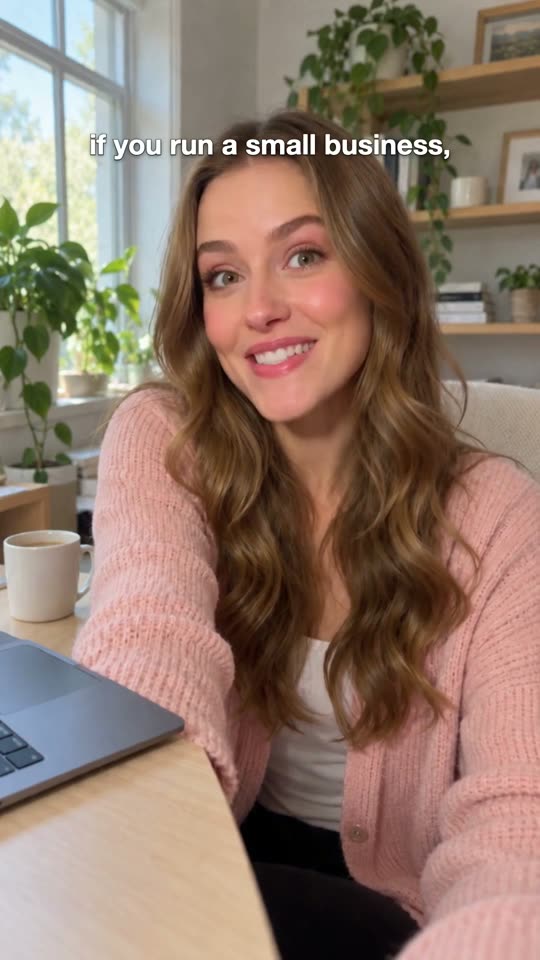
Here's a vertical 9:16 Yapper ad we made for our own Song Ads. Yapper is our style where a real-looking AI presenter talks to the camera.
Start your first ad free with Ad Factory.
What should the captions on a plumber or dentist ad say?
With the sound off, the captions are the ad, so they should say what you fix, where you work and what to do next. Put the problem in the first line.
Keep the pace easy to read. TikTok's guide says, "We recommend displaying 5-10 words per second when using text." Our own rule of thumb is one short line on screen at a time.
We wrote these two for this post. They aren't real ads and have no results behind them. Swap in your name, your town and your real offer.
The plumber
Water under the sink again?
That drip won't fix itself. [Your Name] Plumbing, same day in [Your Town]. Call before it reaches the floor.
On screen at the end: your phone number and star rating. Button: Call now.
The dentist
Scared of the dentist? So are we.
We go slow. We explain every step. [Your Practice], right here in [Your Town]. New patients can book online tonight.
On screen at the end: your rating and your new patient offer. Button: Book now.
Picture them with the sound off. You still know who it is, what they do and what to tap. That's the job.
Here's a song ad we made about a plumber's story.
Tell us about your business and see your script free.
See the ads our team makes → Song ads, talking presenter ads, claymation and more.
The 5-step sound-off test
Run this on any ad before it goes live. All you need is a phone and a couple of minutes.
Step 1: Mute your phone and watch the preview
Open the ad preview on your phone with the sound off.
Step 2: Stop at 3 seconds
Pause at the 3-second mark. If you can't say what the business is and who it's for, the hook needs words on screen.
Step 3: Check the safe zone
Look at the bottom third and the edges of a Reels or TikTok version. Move any caption, price or logo that sits under the buttons.
Step 4: Read every caption word for word
Check names, street names, prices and phone numbers. These are the words a machine is most likely to guess.
Step 5: Hand it to someone on mute
Show the muted ad to someone who doesn't know your business. Ask what you sell and what to do next, and fix the words if they can't say.
Who should add the captions?
The captions aren't the hard part. The words are, and somebody has to write them so the ad works with the sound off.
| Option | Who does the work | What you get | Watch out for |
|---|---|---|---|
| Ads Manager auto captions | You | Captions on Facebook and Instagram, in English | Review every word, and edits show in every ad that uses the video |
| A caption app | You | Burned-in captions you style yourself | Another app to learn, and you still write the ad |
| Marketplace gig | A freelancer you brief | Varies by seller | In our view, quality is often low and uneven, with lots of back and forth and no marketing team behind it |
| 30 Second Ad Factory | Our team: script writer, storyboard artist, video maker and quality checker | A finished, checked ad you approve | Plans from $149 a month after a free script and storyboard; we make the ads, you run them |
For a busy owner, the last row wins. You approve the script and the storyboard before we make anything, so you see every word before it's in the ad. A project manager watches each video before it reaches you, and most ads are ready in about 24 hours of a complete, approved brief.
Running the same ad on all three apps? Our guide to one video ad for Facebook, Instagram and TikTok covers the file side.
Frequently asked questions
Can Facebook make automatic captions in Spanish?
No. Meta's help page says "Automated captions are only available in English and can only be used on Facebook and Instagram." For Spanish, upload your own .srt file with the right language and country code, or burn the captions into the video.
Do TikTok ads need captions?
TikTok doesn't require captions. Its creative best practices page says "Use captions or text overlays to provide context to your ad," and lists sound or music among the basics.
What's the difference between captions and text overlays?
Captions show the words people say in the video. Text overlays add extra words, like a headline or an offer, and Meta says they help people get key messages with the sound off.
Can I use the same captions on Facebook and TikTok?
Only if they're burned into the video. Meta's help page says its automated captions "can only be used on Facebook and Instagram." Captions that are part of the video picture travel with the file to any app.
The short version
Do Facebook video ads need captions? No. Both recommend them, and Meta lists sound the same way. So build for both.
Burn the words into the video. Keep them out of the bottom 35% on Reels. Then run the 5-step test on mute.
You could write, caption and check every ad yourself. But you'd be doing it at 10pm after a full day of jobs. For a busy owner, our done-for-you team is the best option: you approve the script and storyboard, and we hand you a finished, checked ad.
No ad can promise leads or sales, ours included. But yours will make sense to the people who never tap the speaker.
Want finished ads without learning an AI tool? Make your free image ad with Ad Factory, plus a free video script and storyboard. Plans from $149 a month, cancel any time.
Related Reading
- Same Video Ad on Facebook, Instagram and TikTok: One File: Run the same video ad on Facebook and TikTok? Yes: one 9:16 file covers…
- How Many Video Ads Should I Run at Once? Facebook vs TikTok: How many video ads should I run at once? Run 3 to 5 really different ads per…
- Do I Have to Label AI Ads? TikTok and Facebook Rules (2026): Do I have to label AI ads? TikTok gives you a toggle and Meta says it labels…
- Music for Facebook Ads: What's Allowed and What Gets Remembered: Music for Facebook ads, explained: why trending songs get ads muted, what…
- Ad Factory →: A done-for-you ad team. You approve the script and storyboard; we make and check every ad. Plans from $149 a month.
Get video ads people stop and actually watch
Fully done for you. We write, animate and edit every ad.
Try It Free →