FAQ Video Guide: Answer Customers Before They Call
You can answer "Do you take my insurance?" in your sleep. The trouble is you answer it twelve times a week, usually while you're trying to do the actual work.
That repeat question load can feel like part of the job. The good news is you can answer most of it once, on video, and let the video do the talking from then on. An FAQ video is the simplest way to do that, and you don't need a camera crew or a big budget.
Below you'll find how to pick the right questions, a 7-step process, a fill-in script, a cost and time comparison of four formats, and 8 trade examples you can copy.
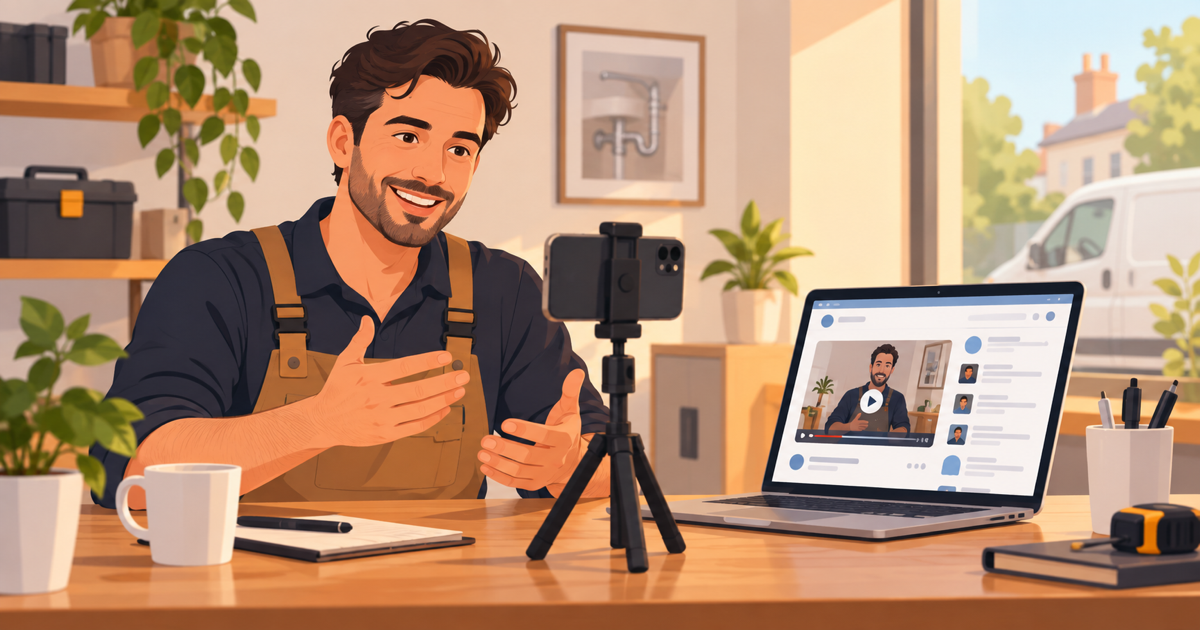
An FAQ video is a short video, usually 30 to 60 seconds, that answers one question your customers ask again and again. You pick your top five to ten questions from calls, reviews and emails, write a plain answer for each, and put the videos where people look: your website, your Google profile and your booking emails.
Key takeaways
- Answer one question per video, in 30 to 60 seconds.
- Your best questions are already in your call log, reviews and texts.
- A phone video costs nothing but your time; an animated one looks the same every time you share it.
- Put each answer where the question comes up, not only on an FAQ page.
- Track repeat calls before and after, so you know it worked.
What is an FAQ video, and why does a small business need one?
An FAQ video is a short clip that answers a single common customer question, such as price, timing, insurance or what happens on the first visit. It replaces the same two-minute phone answer you give over and over.
Customers already lean toward video for this. In Vidico's roundup of video research, 78% of consumers said they prefer to learn about a product through a short video, and only 9% preferred a text article.
It also saves your team real time. HubSpot's marketing statistics page reports that 57% of video marketers say video has cut the number of support questions they receive.
Here is the worked math. Say your front desk answers the insurance question 15 times a week, and each call takes 3 minutes. That is 45 minutes a week, or about 39 hours a year, spent on one question.
Pro tip: an FAQ page with text is still worth having. The video sits on top of it for people who would rather watch than read.
Need an explainer video? Get a 30-second explainer for $297 → We write the script, record the voiceover and animate it, delivered in 7 days.
Which questions should your videos answer first?
The questions worth a video are the ones you hear every week and the ones that stop people from booking. Start with those, and leave the rare edge cases to a phone call.
You don't need a survey to find them. Your questions are already written down in a few places:
- Your call log or front desk. Ask whoever answers the phone to keep a tally sheet for two weeks. One line per question, one tick per call.
- Your Google reviews. Look for phrases like "I wasn't sure if" or "I didn't know they." Those are questions people had before they booked.
- Texts and emails. Search your inbox for "how much", "how long" and "do you."
- Google's "People also ask" box. Search your service plus your town and read the questions Google shows.
- Quotes that didn't close. The last thing someone asked before they went quiet is often the question that stalled them.
Then sort the list into two piles. Pile one is "before they buy" questions, like price, timing and trust. Pile two is "after they buy" questions, like how to prepare or what to expect. Make the first pile first, because those videos help you win work.
A two-van plumbing shop in Tulsa might end up with a top five like this: Do you charge a call-out fee? Can you come today? Do you give a price before you start? Are you licensed and insured? What if it breaks again?
Pro tip: if one question makes up more than a third of your tally, make that video this week. It will pay you back fastest.
How to make an answer video in 7 steps
These steps work whether you film on a phone or have someone animate it for you. Most owners can script five answers in an afternoon.
Step 1: Pick one question per video
Give each video a single question, stated the way customers say it. "Do you take Delta Dental?" is better than "Insurance and payment options."
Step 2: Write the answer in under 150 words
Most people speak about 150 words a minute, according to Breadnbeyond's script-length guide. So 75 words gives you roughly a 30-second video, and 150 words gives you about a minute.
Step 3: Lead with the answer, then the detail
Say "Yes" or "It depends on two things" in the first sentence. People who only watch five seconds still leave with the answer.
Step 4: Add one next step
End with one clear action, like "Book online in two minutes" or "Text us a photo and we'll quote it." One action beats three options.
Step 5: Choose your format
Decide between a phone video, a screen recording or an animated video. The comparison table below lays out the trade-offs. If you film on your phone, face a window, use a quiet room with a clip-on mic, and keep the background plain. Bad sound loses viewers faster than a shaky picture.
Step 6: Add captions
Many people watch on a phone with the sound off, so burn the words onto the screen or upload a caption file. Captions also help anyone who is hard of hearing.
Step 7: Name the file after the question
Call it "do-you-take-delta-dental.mp4", not "video-final-2.mp4". Use the question as the title wherever you upload it, so people and search engines can tell what it answers.
A fill-in script you can use today
Here is a 30-second template. Swap in your own words.
Question (on screen): "(The question, word for word the way customers ask it)"
Answer (first line): "Yes, we do. Here's how it works."
Detail (two or three lines): "(What happens, how long it takes, what it costs or what it depends on.)"
Reassurance (one line): "(The worry behind the question, answered. For example: you'll know the price before we start.)"
Next step (one line): "(One action: book online, call, text a photo.)"
For the Tulsa plumber above, the call-out fee script might read: "Do we charge a call-out fee? Yes, and it comes off your bill if we do the job. We'll give you a fixed price before any work starts. No surprises. Book a time online or call us, and we can often come the same day."
Should you film it yourself or have it animated?
A phone video is the cheapest way to start, and an animated video is the most consistent. The right choice depends on how often the answer changes and whether you like being on camera.
| Format | Typical cost | Your time per video | Best for | Watch out for |
|---|---|---|---|---|
| Phone video of you talking | Free, beyond your phone | 30 to 60 minutes with retakes | Trust questions, like "Who will come to my house?" | Bad sound, background noise, redoing it when staff change |
| Screen recording | Free to low-cost tools | 20 to 40 minutes | Online booking, patient portals, how to pay a bill | Only works for on-screen tasks |
| Animated video, done for you | Our 30-second explainer is $297; 60 seconds is $497 | A short brief: your question and answer notes | Price, process and "what happens next" questions you'll share for years | Takes about 7 days, so not for answers that change weekly |
| Studio animation | $5,000 to $15,000 for 60 seconds, per Vidico's cost guide | Several meetings | Big brand campaigns | Overkill for a single FAQ answer |
| Text FAQ page only | Free | 10 minutes | Search engines and fast skimmers | Easy to skip, and it doesn't feel personal |
Most small businesses mix formats. A dentist might film a phone video for "Will it hurt?" because a warm face helps, then use animation for "How does the payment plan work?" because that answer rarely changes.
If you want the animated route, our 30-second explainer video covers the script, a human voiceover and the animation. You send the question and your answer notes, and it comes back in 7 days with 3 rounds of changes.
Where should your answer videos live?
Put each answer video where the question comes up, not only on a single FAQ page. The same 30-second clip can do work in five places.
- Your website FAQ page. Put the video right above its written answer.
- The service page it belongs to. Put the "Do you give a price first?" video on your repair page, where people decide. Wistia's research found that homepages, video galleries and product pages get the highest play rates, and a service page is your product page.
- Your Google Business Profile. Google allows videos up to 30 seconds long, up to 75 MB, at 720p or higher, so 30-second answers fit without editing.
- Booking confirmation emails and texts. Link the "What happens at your first visit?" video in the confirmation. A nervous first-timer who knows what to expect is more likely to turn up.
- Quick replies. Save the links in your phone or inbox, so when someone texts "How long does it take?" you reply with a link in two taps.
For more ideas on placement, see our guide on where to put an explainer video on your site.
Pro tip: after-purchase questions belong in your welcome sequence. Our piece on onboarding videos that welcome new clients shows how to string them together.
Copy these answer-video ideas for 8 kinds of business
Every trade has its own top questions. Use these as a starting list, then check them against your own tally.
| Business | Before-they-buy question | After-they-buy question |
|---|---|---|
| Dentist | Do you take my insurance? | What should I do after a filling? |
| Plumber | Do you charge a call-out fee? | How do I stop a leak until you arrive? |
| Law firm | How much does a first meeting cost? | What papers should I bring? |
| Med spa | How many sessions will I need? | What should I avoid after treatment? |
| Gym | Can I try a class before I join? | How do I freeze my membership? |
| Accountant | What do you need from me to file my taxes? | When will I hear back about my return? |
| Roofer | Do you work with my insurance claim? | What happens if it rains mid-job? |
| House cleaner | Do I need to be home? | What if I'm not happy with a room? |
A law firm has one extra rule to watch. Keep the answers general, and add a line like "every case is different, so book a call for advice on yours."
Want something bigger? Book a free 30-minute video call → We plan your custom video with you and send a fixed quote within 24 hours.
How do you know your FAQ videos are working?
You know the videos are working when the same questions show up less often on the phone and more people book without calling first. Check three simple numbers for a month before and a month after you post.
- Repeat calls. Keep the front-desk tally going. If the insurance question drops from 15 calls a week to 8, that is your proof.
- Plays and watch time. Most video hosts show how many visitors pressed play and how much they watched. Wistia found that videos under a minute average a 52% engagement rate, which means viewers watch about half, so put the answer first.
- Bookings from the page. Compare online bookings from the page with the video to the month before.
If a video gets plays but the calls don't drop, the answer probably isn't clear enough. Rewrite the first line so it answers the question in one breath.
Common mistakes to avoid
Most weak answer videos fail for the same few reasons, and each one is easy to fix.
- Five questions in one long video. Nobody scrolls to minute three to find their answer. One question, one video.
- A long intro. Skip the logo spin and "Hi, welcome to our channel." Start with the answer.
- Vague answers. "It depends" with no detail feels like a dodge. Say what it depends on.
- Hiding the videos. A video buried on a page nobody visits won't cut a single call.
- Old answers. If your prices or hours change, update or remove the video that week. A gym that still shows last year's membership price will get angry calls, not fewer calls.
Frequently asked questions
How long should an FAQ video be?
Aim for 30 to 60 seconds per question. That is about 75 to 150 spoken words. Google Business Profile videos max out at 30 seconds, so a 30-second version works everywhere.
How many answer videos should a small business start with?
Start with five. Pick the three questions that come up most before people book and two that come up after. You can add more once you see which ones get watched.
Do I need to be on camera?
No. Many owners use animation or a screen recording instead. Being on camera helps with trust questions, like who will come to the house, but it is not required for price or process questions.
Can answer videos help my business show up in Google and AI search?
They can help, when each video sits on a page with the question as a heading and the answer written out underneath. The written answer is what search engines and AI assistants read, and the video keeps visitors on the page. Upload a caption file and paste the answer as text under the video, so the words are there to read even if nobody presses play.
What does an animated answer video cost?
A 30-second animated explainer from us is $297 one time, with the script, voiceover and animation included, delivered in 7 days. Studio animation for 60 seconds often runs into the thousands, so compare what is included before you choose.
Ready to stop answering the same question twelve times a week?
Pull your top five questions from this week's calls and texts. Script the first one with the template above, then decide whether you'll film it on your phone or have it animated.
If you'd rather hand off the script, voice and animation, we can make it for you. For a bigger, custom project, you can plan it with us on a free call.
Ready to get your own video made? Order a 30-second explainer for $297 and have it in 7 days, or book a free call if you want a custom video from $1,299.
Related Reading
- How to Get an Explainer Video Under $500 in 2026: Want a professional explainer video under $500? Compare the three routes…
- Explainer Ownership Rights: Do You Own the Video You Paid For?: Explainer ownership rights made simple: what you own, what you only license…
- Your First Explainer Video: A Checklist for Small Budgets: Ordering your first explainer video on a small budget? Work the seven…
- Live Action Video: When to Film and When to Animate: A live action video shot on your own phone costs nothing. Learn which jobs…
- Explainer Videos from $297 →: Professional animated explainer videos delivered in 7 days.
Need an explainer video?
We write the script, record the voiceover and animate it. Delivered in 7 days.
Get My Video — $297 →