Explainer Video Storyboard: How to Review and Approve It
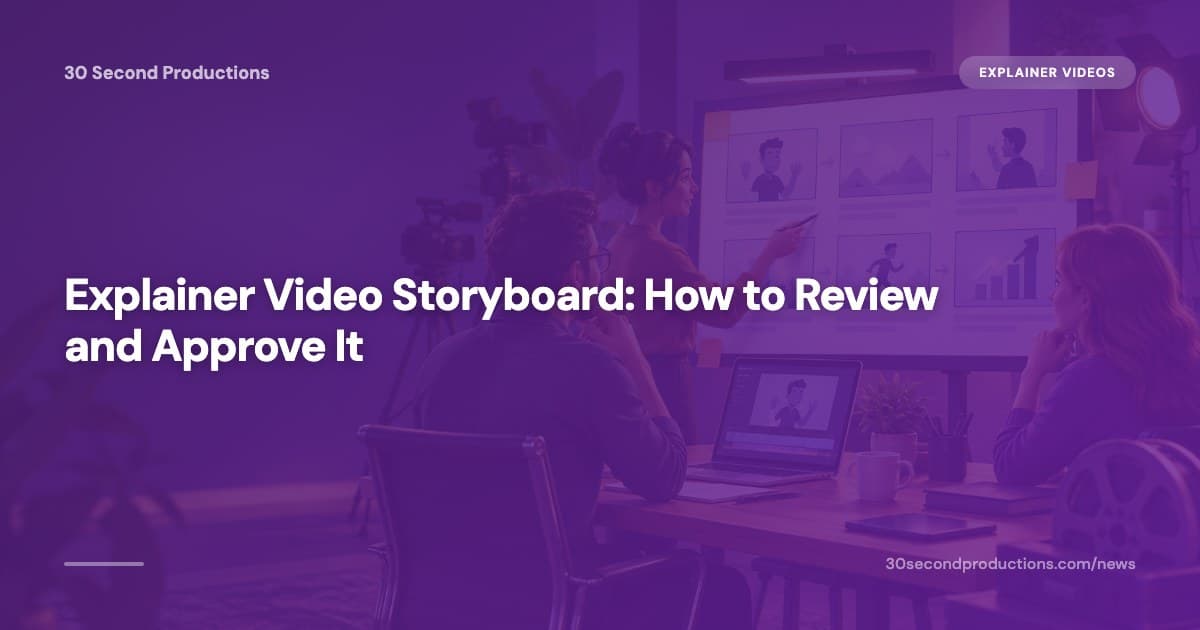
Your video company has emailed you a PDF full of little boxes.
Each box holds a rough drawing and a line of text.
They want your approval by Friday.
You are not sure what you are looking at.
That PDF is an explainer video storyboard.
The twenty minutes you spend on it decide how your finished video looks.
Approve it in a hurry, and you pay for the changes later.
Out of the small number of revision rounds you get.
This guide covers both sides of the job.
You will see what belongs in every frame.
How many frames your video needs.
How to review one in twenty minutes.
And how to sketch your own, if you would rather start there.
An explainer video storyboard is a row of small panels that shows what appears on screen for every script line. You either sketch one yourself, or your video company sends you one to approve. Check the timing, the order and the clarity before you sign off.
What is an explainer video storyboard?
An explainer video storyboard is a row of small panels, one per scene.
Each panel pairs a picture with the exact words spoken over it.
Each panel also carries a number of seconds.
The whole board adds up to the length of the finished video.
A script is the words your video says: the voiceover, plus any text that appears on screen.
A panel, sometimes called a frame, is one box on the board.
It covers one moment of the video.
The board always comes before animation.
Nobody draws, colours or moves anything until somebody signs off on the sequence.
That order matters, because the board is where the story gets tested.
According to Biteable's explainer video script template, a simple explainer script has four parts: hook, problem, solution and call to action.
You should be able to point at the panel where each of those four parts begins.
If you cannot, the board is hiding a problem the animator will hit later.
Need an explainer video? Get a 30-second explainer for $297 → We write the script, record the voiceover and animate it, delivered in 7 days.
Who draws the storyboard, you or your video company?
In almost every small business video job, the video company draws the storyboard and you approve it.
You supply the facts, the offer and the brand colours.
Somebody else turns your script into panels.
There are three common routes, and they ask different things of you.
| Route | Who draws the board | What you send | What you do |
|---|---|---|---|
| Done-for-you package | The company, from your answers | A short brief: what you sell, who buys, your offer | Approve it or send notes, once |
| Animation agency | A storyboard artist on their team | A brief, brand files, usually a kickoff call | Sit in a review call, then approve |
| Do it yourself | You | Nothing, you already have it | Draw it, time it, hand it over |
Studio budgets show how much that drawing work is worth.
Vidico's 2026 explainer video cost guide puts a 60-second custom animated explainer from a North American studio at $5,000 to $10,000.
Premium 3D or character work runs above that.
The wider market is broader still.
Yum Yum Videos' 2026 cost guide puts explainer prices from about $99 for do-it-yourself tools.
Up to $50,000 or more for enterprise brand films.
Some low-priced jobs skip the board and send you the finished animation first.
Ask before you pay: will I see the scenes before you animate them?
A yes protects your revision rounds.
A no means your first look at the video is also your last cheap chance to change anything.
What goes in one storyboard frame?
Every usable frame shows four things.
A picture of the scene, and the voiceover line spoken over it.
How many seconds it lasts, and any words that appear on screen.
A frame missing one of the four will turn into a question during animation.
The picture can be rough.
Stick figures, boxes and arrows are enough, because the board is testing what happens, not how pretty it looks.
An arrow usually means something moves.
A camera pushing in, a character walking on, a logo sliding up.
Anything the picture cannot explain goes in a short note beside the panel.
The style you bought changes how much detail the board needs.
Pexo's 2026 guide to explainer video types calls whiteboard animation the budget-friendly workhorse for step-by-step teaching and professional services.
It calls 2D motion graphics the all-round style.
And live action the one that puts a real face or product on screen.
A whiteboard board can stay rough, because the finished video is line drawings anyway.
A live action board has to say where you stand and what sits behind you.
How many frames does a 30 or 60 second video need?
Count on one frame for every three to six seconds of video.
A 30-second explainer usually needs five to ten frames.
A 60-second explainer needs ten to twenty.
You can check any board with a calculator.
Breadnbeyond's guide to 60-second scripts plans about 150 spoken words per minute.
That puts a 60-second script at roughly 140 to 160 words.
Knowlify's 2026 guide to making an explainer video says most explainers run 60 to 90 seconds.
That is about 150 to 225 words of voiceover.
So count the words in your script, divide by 150, then multiply by 60.
That number is your runtime in seconds.
The seconds written on the panels should add up to roughly the same figure.
Here is the test in practice.
A 74-word script is about 30 seconds of video.
So a board whose panels total 41 seconds carries padding, and your video will run long.
Length also depends on where the video will live.
Yum Yum Videos' 2026 length guide puts 30 to 45 second videos in ads and awareness campaigns.
And 60 to 90 second videos on your website and in sales conversations.
Our guide to explainer video length goes through that choice in more detail.
The seconds should also land in the right places.
Content Beta's guide to 60-second video scripts suggests a rough split: 30% of the time on the problem, 40% on the solution.
20% on proof, and 10% on the call to action.
Add up the panel seconds by section and compare.
A board that spends fifteen seconds on your company history is a board that loses viewers before the offer arrives.
How to review a storyboard in twenty minutes
A storyboard review takes six passes, and each one runs a few minutes.
Do them in order, because a script that runs too long makes every other note pointless.
Step 1: Read the script out loud with a stopwatch
Read the voiceover column aloud, at a normal pace, and time yourself.
Runs longer than the seconds on the board?
That is a script fix, not a drawing fix.
Step 2: Look at the frames in order with the sound off
Scroll through the panels without reading the voiceover.
A stranger should follow what you sell from the pictures alone.
Any gap you feel here is a gap a viewer feels too.
Step 3: Judge the first frame on its own
Look at frame one.
Ask what a stranger learns in the first two seconds.
The opening frame should show the problem your customer already has.
Not your logo on a coloured background.
Step 4: Read every word that appears on screen
Check the on-screen text in every panel.
Spelling, prices, opening hours, phone numbers, your business name.
Text mistakes cost nothing to fix on a board.
They cost a re-render once the animation exists.
Step 5: Check the last frame tells people what to do
The final frame should show one action and one way to take it.
Call this number.
Book at this address.
Tap this button.
Two competing actions split the response.
So pick the one you want most.
Step 6: Send one numbered list of changes
Write every change in a single numbered message.
Point at frame numbers: "frame 3, swap the van for a work truck."
Drip-feeding notes over three days burns a revision round you could have kept.
What should you check before you approve the board?
Run this ten-point checklist once, then reply with your approval.
Every item is something a non-designer can judge in about a minute.
- The frames are numbered and the numbers run in order
- Every frame has seconds on it, and the seconds add up to your runtime
- The voiceover under each frame matches the script you signed off
- Frame one shows a problem your customer recognises
- Your business name and phone number are spelled correctly
- Any price on screen is a price you still charge
- The people and places look like your customers and your town
- Nothing on screen claims something you cannot back up
- The last frame has one clear action
- You could explain the whole video to your partner from the board alone
Being fussy now pays, because the same change costs far more later.
| Change you ask for | At storyboard stage | After animation |
|---|---|---|
| Swap a scene for a different idea | A redrawn box, usually same day | A rebuilt scene and a revision round |
| Fix a phone number on screen | A typed correction | A re-render and a new file |
| Cut ten seconds | Delete a panel, retime the rest | A new voiceover take plus retiming |
| Change the order of the story | Reorder the panels before art exists | Close to starting the video again |
At the $5,000 to $10,000 Vidico reports for a custom 60-second explainer, a rebuilt scene costs real money.
On a fixed-price package, it costs you a revision round you wanted to spend on the finished video.
Our 30-second explainer is $297, normally $497.
It comes with a human voiceover, delivery in 7 days, 3 revision rounds and a money-back guarantee.
Three rounds go a long way.
As long as you spend them on the film, not on problems the board already showed you.
Want something bigger? Book a free 30-minute video call → We plan your custom video with you and send a fixed quote within 24 hours.
A six-frame storyboard for a dental practice
Here is a complete board for a 30-second video for a family dental practice.
The script runs 71 words.
At 150 words per minute that lands at about 28 seconds of speech, leaving a little room to breathe.
| Frame | Seconds | Voiceover | On screen | Text on screen |
|---|---|---|---|---|
| 1 | 5 | It is nine on a Sunday night and your tooth is throbbing | Person at a kitchen table holding their jaw, clock on the wall | None |
| 2 | 5 | Most dental offices will tell you to wait until Monday morning | Phone screen showing a closed sign, calls going to voicemail | Closed until Monday |
| 3 | 5 | Northside Family Dental keeps two emergency slots open every single day | Wall calendar, two slots circled on every weekday | 2 slots every day |
| 4 | 5 | Call before ten in the morning and you are seen that same day | Dentist opening the door to a relieved patient | Same day |
| 5 | 4 | We take most insurance plans, and you hear the price before we start | Front desk screen showing a written price | Price up front |
| 6 | 4 | Book online, or call the number on your screen now | Practice sign, phone number and a booking button | Book today |
Notice how the board follows the four-part shape from Biteable's script template.
Hook in frame one, problem in frame two, solution in frames three to five, and the action in frame six.
A plumber would swap the throbbing tooth for a flooded kitchen floor.
And the two emergency slots for a two-hour arrival window.
A law firm would swap it for a letter that landed this morning, and a free first call.
The shape of the board stays the same.
Only the fear in frame one changes.
Can you sketch your own storyboard without drawing skills?
Yes.
Boxes, stick figures and arrows are enough, because nobody in the production line is judging your drawing.
Take a sheet of paper, draw six boxes, and write the voiceover line under each one.
Number the boxes and write the seconds in the corner of each.
Write the script first.
Panels drawn against words you are still changing get redrawn every time you change a line.
Our guide to writing an explainer video script covers the words that come first.
When you hand the board over, send these five things:
- The numbered panels, in order
- The voiceover line that belongs under each panel
- Seconds per panel, plus the total
- A note for anything that moves or appears
- Your logo, brand colours and the exact wording of your offer
Sketching your own is worth the hour when you already know what each scene must show.
For example, a process only you can explain properly.
Skip it when the script is still moving, or when your package already includes a board somebody will send you.
Frequently asked questions
Does the storyboard come before or after the voiceover is recorded?
The storyboard normally comes first, with a scratch voiceover for timing. A scratch voiceover is a rough recording nobody hears in the final video. The real voiceover gets recorded once the panels and the script are locked, because a re-record costs more than a redrawn box.
How long should a storyboard take to make?
A six to ten panel board for a 30-second video takes about one to two hours to draw once the script is final. Your side of it, the review, takes roughly twenty minutes. Boards that drag on for days usually mean the script was never finished first.
What is an animatic, and do I need one?
An animatic is the storyboard panels cut together with a rough voiceover so you can watch the timing before anything is animated. Most 30-second small business videos do not need one. Ask for an animatic if your video has a lot of scene changes or you are unsure about pacing.
Can I ask for a whole new storyboard?
You can ask, and the answer depends on your contract. Many packages count a full restart as one of your revision rounds, so explain exactly why the first board missed. A clear reason, such as the wrong customer in frame one, often gets you a rework at no cost.
Do short 30-second videos really need a board?
A 30-second video needs a board more than a long one, because every second carries a bigger share of the message. Five or six panels take an hour to agree and stop the wrong scenes from being animated. Ask for a scene list at least, if a full board is not offered.
The short version
An explainer video storyboard is the last cheap place to change your video.
Once the panels are approved, every change costs money.
A rebuilt scene, a re-record, or one of the revision rounds you were saving for the finished film.
So spend the twenty minutes.
Read the script aloud against a stopwatch.
Look at the panels with the sound off.
Check every word on screen.
Check that frame one shows a problem.
Check that the last frame asks for one thing.
Then send one numbered list and the word approved.
If you are drawing your own, boxes and stick figures will do.
Write the script first, number the panels, and put the seconds in the corner.
Then hand it over with your logo and your offer wording.
The goal is simple.
You want a video that says the right thing in the right order, first time.
Ready to get your own video made? Order a 30-second explainer for $297 and have it in 7 days, or book a free call if you want a custom video from $1,299.
Related Reading
- Explainer Video Guide: The 7 Decisions, in Order: An explainer video guide without the ebook. Make seven decisions in order,…
- Explainer Video Pricing Comparison: 4 Ways to Buy in 2026: Explainer video pricing in 2026, compared across agency, freelancer, AI tool…
- How to Hire an Explainer Video Agency and Run the Project: Hiring an explainer video agency goes wrong before the quote lands. Get the…
- Explainer Videos from $297 →: Professional animated explainer videos delivered in 7 days.
Want a custom video made for your business?
Book a free 30-minute call. We plan your video with you and send a fixed quote within 24 hours. Custom videos from $1,299.
Book a Free Video Call →

